
Using the Home Assistant SNMP Switch component with my Cisco 3750 PoE switch, it’s possible to enable or disable PoE on a switch port.
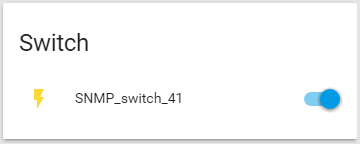
This post on a thread about saving energy via PoE got me close enough to manage the rest.
In the example below, I’m controlling PoE on port 41.
Requirements:
- SNMP enabled in your switch
- IP address, Read-write community string, and OID for the specific port
To find the OID, I’ll use snmpwalk, part of the snmp package
sudo apt-get install snmp
The specific command to find the OID for the portsnmpwalk -v2c -c community_name ip.add.re.ss 1.3.6.1.2.1.105.1.1.1.3
Sample output:
RagingComputer@HomeAssistant:~ $ snmpwalk -v2c -c community_name ip.add.re.ss 1.3.6.1.2.1.105.1.1.1.3
iso.3.6.1.2.1.105.1.1.1.3.5.1 = INTEGER: 1
iso.3.6.1.2.1.105.1.1.1.3.5.2 = INTEGER: 1
...
iso.3.6.1.2.1.105.1.1.1.3.5.40 = INTEGER: 1
iso.3.6.1.2.1.105.1.1.1.3.5.41 = INTEGER: 1
iso.3.6.1.2.1.105.1.1.1.3.5.42 = INTEGER: 1
...
iso.3.6.1.2.1.105.1.1.1.3.5.48 = INTEGER: 1
in my case, .5 is GigabitEthernet, and .41 is port 41.
Home Assistant SNMP Switch Config for PoE on Port 41
switch:
  - platform: snmp
    name: SNMP_switch_41
    host: ip.add.re.ss
    community: community_name
    baseoid: 1.3.6.1.2.1.105.1.1.1.3.5.41
    payload_on: 1
    payload_off: 2
 Raging Computer
I know this was quite an old post, but I just wanted to say thank you for this post, it was really helpful! Exactly what I needed and now I can switch on and off individual PoE ports of my netgear switch.
LikeLike