Beyond Logic Serial Analyser Log Printing

This was a quick hack with some perl to chop up the logs and spit out the results I wanted.

This is not normally something I would share, but I want to be able to find it again, should I have a need for it. The first one replaces the non-printable characters and separates the transmit and receive lines to improve printed readability.Continue reading “Beyond Logic Serial Analyser Log Printing”

Rimage DTP-4500 RAS 13 Initialization Sequence

Initialization sequence for Rimage RTP-4500 RAS 13 autoloader duplicator robot.

Serial sniffing with Beyond Logic RS-232 Protocol Analyser in ASCII mode.

For interception, I made a cable with 2 8-pin mini din connectors wired straight through after patching through a solderless breadboard. Connection to PC is 38400-8-N-1 using hardware flow control. I will post pinout and diagram later. For now, Pictures of the hardware and connections. Rimage Serial Sniffing – Second Attempt

Video recorded using Blueberry software BB FlashBack Express.

Logged output from the rs232 protocol analyser has been reformatted with a bit of perl to make reading easier. I chose 80 chars for the column width because it matches what the protocol analyser displays in the video. Each line is broken into two lines. The first line is what’s sent from the computer/printer to the autoloader. The second line is the response. To make things printable, I replaced the ASCII ESC character (hex x1B) with a plus + symbol and the ASCII EOT character (hex x04) with an = symbol.

So far, it seems all commands and replies start with ESC! and all replies end with EOT. Log file from initialization follows.Continue reading “Rimage DTP-4500 RAS 13 Initialization Sequence”

Arduino Robotic Directional Wifi Scanning

20120513-235231.jpg

I wanted to be able to locate wifi signals, so I built a directional antenna and strapped it onto my panorama robot. The waveguide style antenna built from a used can (explains the name cantenna) looked to be the easiest to build. I bought a pigtail with an N male connector to RP-SMA male connector.  I plugged this into my Alfa Network AWUS036NH. I then fired up inSSIDer and used PuTTY to control the Arduino sketch and aim the antenna.

The signal strength was not what I expected to see at all. I assumed this antenna was directional and would be strongest when I pointed it directly at the AP. It was strongest pointing at about a 45 degree angle to the left of the access point. I’m a complete n00b when it comes to RF, so any feedback on why I’m not seeing what i expected for results would be greatly appreciated.

Note: Will update post if/when I have an answer.

Update:

I am a complete n00b when it comes to build antennas. I goobered another can on there and it works a lot better. I have to give a great thanks to several redditors for pointing me in the right direction. I’m always impressed with how helpful people are. http://www.reddit.com/r/electronics/comments/tmtbi/attempting_wifi_direction_finding_with_a_cantenna/ Even better, I’ve got some reading to do now.

I’ve included links I found useful or interesting and more pictures.

Continue reading “Arduino Robotic Directional Wifi Scanning”

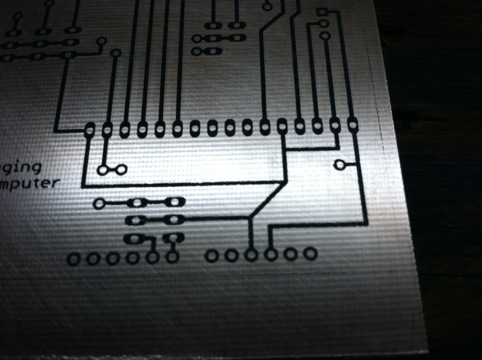
Toner Transfer on the Cheap

I recently made my first PCB with toner transfer using an iron. It was pretty ugly.

I bought a cheap-o laminator from walmart for $25 + tax. It’s a Scotch TL901. I used masking tape to hold things in place. It worked well enough that I’m not going to complain.

I never realized what a difference a laminator makes! It’s hard to mess up now. I also tried using parchment paper.

http://hackaday.com/2012/04/30/etching-your-own-boards-really-really-fast/

http://www.instructables.com/id/Toner-transfer-no-soak-high-quality-double-sided/

The results are so much better with parchment paper and a laminator than proper transfer paper and an iron. At the end I have a pic of transfer using transfer paper. The edges are a lot more crisp, but it costs quite a bit more.

Toner transfer with parchment paper

20120501-225841.jpg

Scotch TL901 Thermal Laminator

20120501-225704.jpgContinue reading “Toner Transfer on the Cheap”

Arduino IRremote + Servo Problem

I’m having some sort of issue with this. The servo is twitchy. Using https://github.com/shirriff/Arduino-IRremote and http://arduino.cc/en/Reference/Servo

It twitches just by having both enabled. I’ve included the code I used for the first part of the video. If you know why this is happening, I’d love to hear it.
Continue reading “Arduino IRremote + Servo Problem”

Arduino Laser Turret Cat Toy

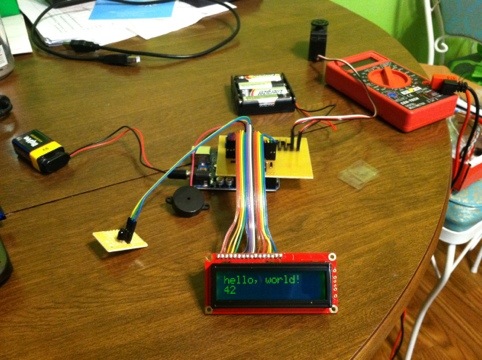
Laser pointer turret, x y coordinate laser pointer, overgrown cat toy, whatever you want to call it. It has been done before 1001 times over, but I wanted to do it again, for myself. The hardware part of this is extremely simple. I just switched the device from the cat annoyance post from solderless breadboard to perfboard and headers. The X axis servo is on pin 9 and Y axis servo is on pin 10. I broke the Aixiz laser module I had on there, so I replaced it with a cheapo laser pointer from wal-mart.

20120411-232712.jpg

http://www.ragingcomputer.com/2011/11/cat-annoyance

I didn’t care for the code I had written before. It just moved the laser from one point to another random point. The cats seemed more confused by its erratic behavior than amused. I figured circles would be a good idea. I swiped snippets of code and inspiration from the following forum post.

http://arduino.cc/forum/index.php?topic=97984.0

I want it to turn off after 15 minutes, and reset after an hour. To add some variability, the diameter of the circle increases and decreases, the speed is random, the circle point of the circle is random too (all within certain limits).

I’ve included the code below
Continue reading “Arduino Laser Turret Cat Toy”

Crappy Wireless Device – Auto Reset

I’ve got a piece of crap wireless network device. It disconnects or the server part just locks up, or dies, or I have no idea, but it stops working. I am not fond of this behavior. It seems to work pretty well after it’s reset. It could be any misbehaving device like a modem, router, wireless cam, network security camera, bridge, or repeater.

This runs on my linux box running ubuntu server. It runs the job every 5 minutes, pings the crap device and the router. If the router has reset itself (very crappy unreliable century link DSL service) it makes note of this. The router usually comes back within 5 minutes.

If the device has stopped responding to ping and the router is up, it uses my CM11a X10 interface with heyu to turn off the appliance module the crap device is plugged in to. It’s not nice on the crap device, but beating on its power supply is a fair punishment for just stopping work after about a week.

Continue reading “Crappy Wireless Device – Auto Reset”

Hexbug Spider LIRC Control

As soon as I knew they existed, I got a Hexbug Spider. I wish these things existed when I was little. It is COOL!

Now that I’m older and can buy toys for myself, I can do more interesting things with my toys. The Hexbug is IR controlled, like a tv remote control. I have a Microsoft MCE IR blaster connected to a Mythbuntu linux box. LIRC is pretty easy to configure.

Of course this is just a substitute remote control. It isn’t as awesome as what EMGRobotics is doing with the hexbug spider. The biggest advantage of a computer remote control is scripting moves!

DANCE HEXBUG DANCE!

Continue reading “Hexbug Spider LIRC Control”